In the Classic Campaign Templates, simply scroll to the bottom of the Settings tab for the Reset, Copy, or Delete buttons.
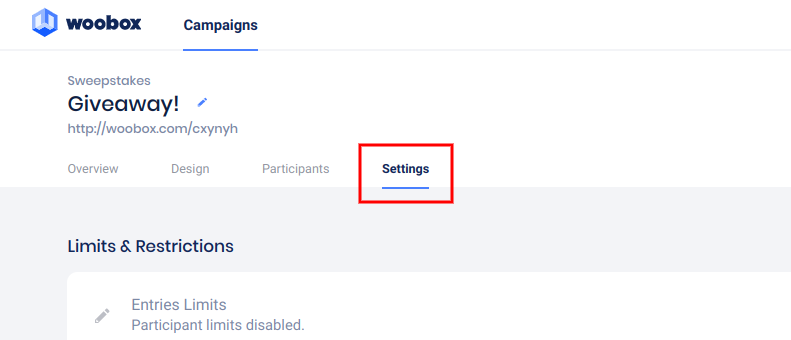

In the new Sites templates, scroll to the bottom of the Settings tab and click “Copy Site”.
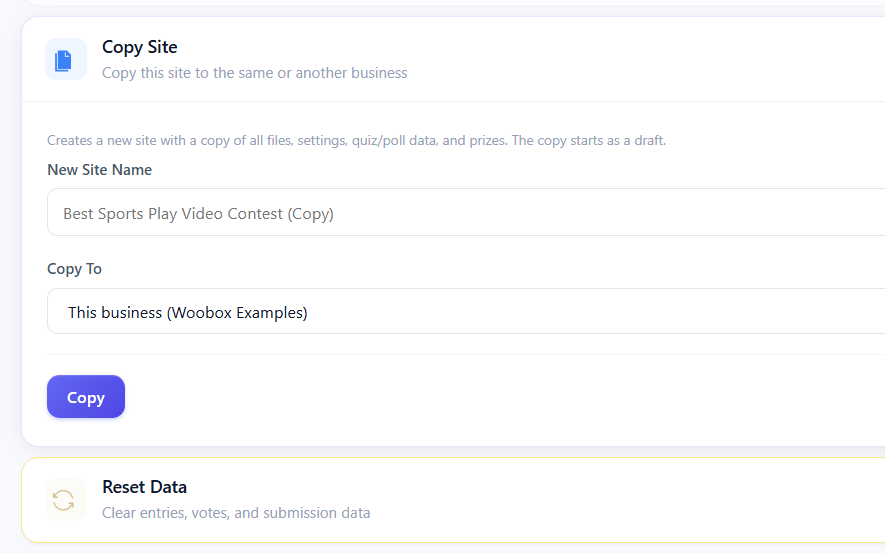
Copying the site will make an exact copy of the campaign but without entries/submissions, or traffic stats. *You can copy an offer to the same page, or to one of your other businesses. Copied campaigns will have a new/unique URL.
Resetting your site will clear all entry totals, entry data, and stats, but it will not change or remove any of your settings or design customizations. Be sure to export and download any important data or traffic stats from your campaign before resetting as all stored data will be permanently deleted when you reset.