*This article applies to the Classic Woobox campaign templates found at the bottom of the “New Site” creation screen.
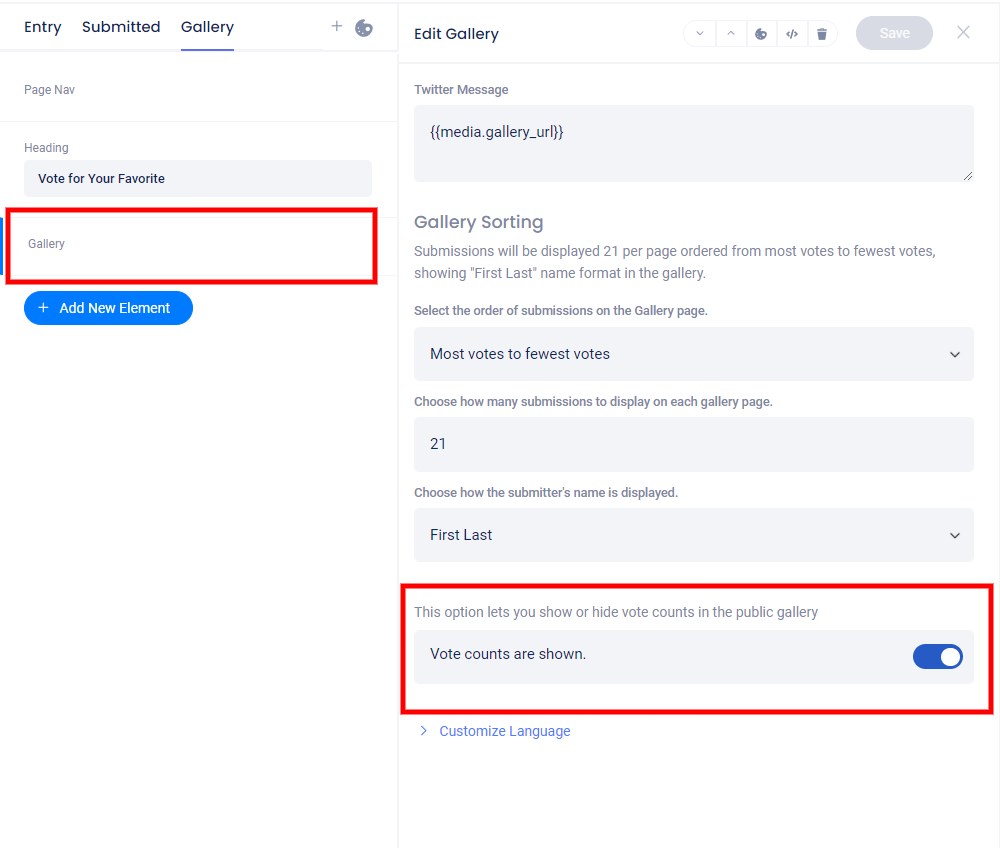
To turn on or off “Show vote counts”, visit the Design tab and click on the Gallery element on the Gallery page.
In the panel that opens, you can turn on or off “Show Vote Counts” as well as change how submissions are sorted, how many display per page, and if/how the submitter’s name will appear.