Your subscription will renew automatically every month. *Some grandfathered plans renew yearly. You can always check the Manage Businesses page of your dashboard to see the renewal date for any business you have upgraded. The next renewal date is displayed just below the plan name and amount.
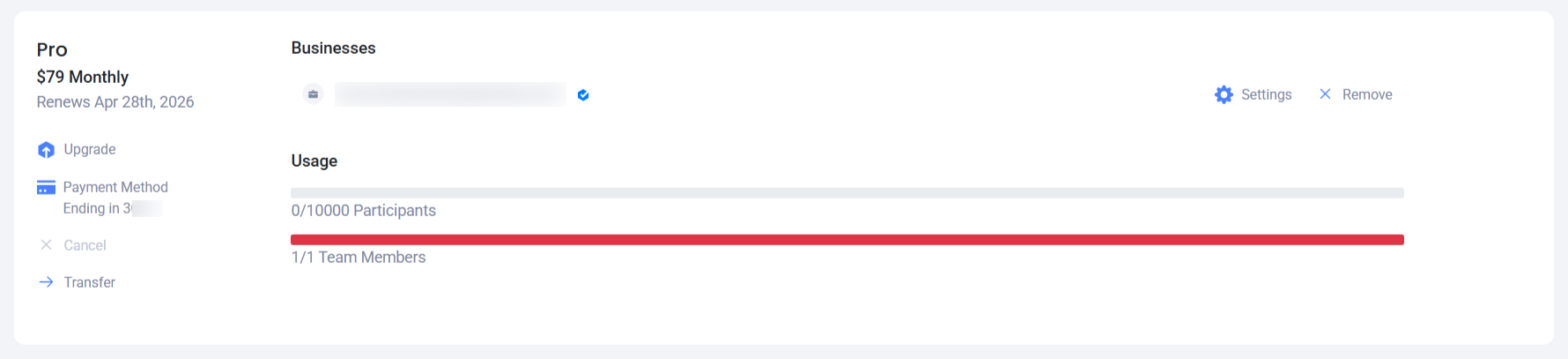
A Woobox subscription will generally renew on the same date of the next month.
FOR EXAMPLE: Sign up January 25th, and your plan will renew on February 25th.
If that Date is not present in the next month, our system will give you 30 days instead. Example: Sign up January 31st, and it will renew on March 2nd. (30 days after January 31st, because there is no February 31st). This would also occur if you signed up on May 31st – There is no June 31st, so the subscription would expire on June 30th – 30 days later.
Again, you can always check Manage Businesses page of your dashboard or contact us at support@woobox.com to find out the exact renewal date.
PAYMENT FAILED ON RENEWAL
If your payment does not go through, and you get an email saying “Payment failed for your Woobox renewal”, you may want to go to the Billing page to update your payment method. We will try to charge your card again in the coming days.