To add a new Facebook Business Page to your Woobox account, click the New Site button on the Sites screen, then scroll to the bottom of the page. Click Facebook Winner Picker, then click the Import Facebook Pages button.
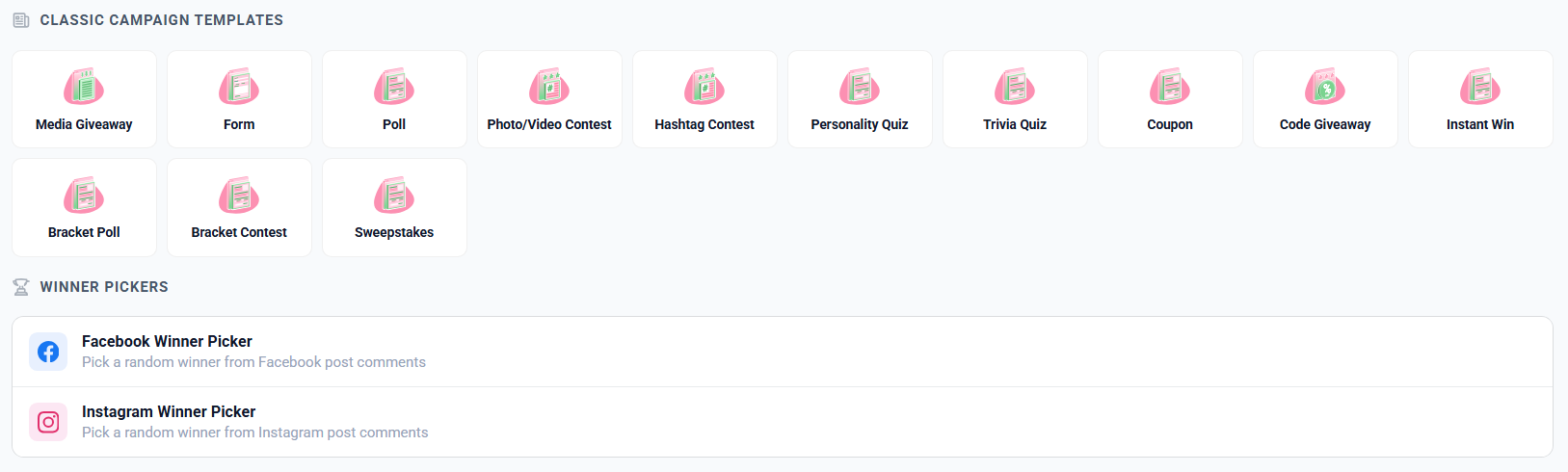

Follow the prompts on the pop-ups to continue with your personal FB profile, and select the Business Pages (and associated Instagram accounts) you’d like to import. Be sure to grant all permissions when prompted.
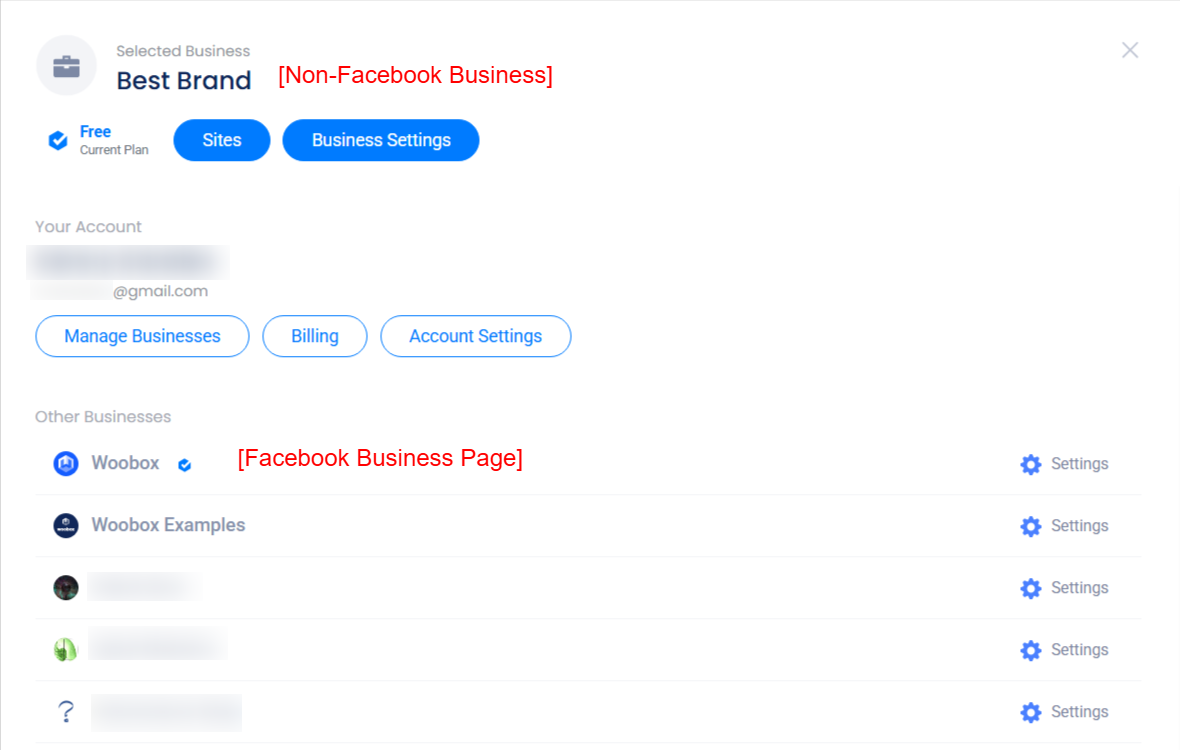
After importing Facebook Business Pages, they will be available in your account panel (after clicking your email address in the upper right corner) or in the Manage Businesses section. Facebook Pages will have their account/profile picture, while non-Facebook businesses will have a gray briefcase icon. Click directly on the name of a business to switch to that business and start using social media features like Comment Pickers and Hashtag Contests.
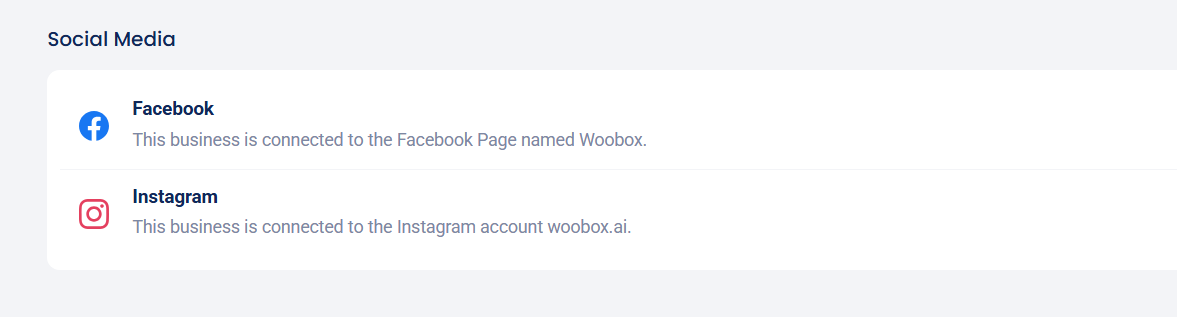
For connection issues with existing FB pages in Woobox, go to the Business Settings > Social Media section and click the “Recheck connection” button under either “Facebook” or “Instagram”, or see the instructions below.
For non-Facebook businesses added manually, there is no direct integration with Facebook or Instagram business accounts, but social like/follow buttons can be added into the </> Source area of the Design section of your Sites/Campaigns using HTML. Facebook’s page plugin generator can be found here.
If needed, new non-Facebook businesses can be added to your account by clicking “+ New Business” at the bottom of the Manage Businesses section.

*If you need to repair your existing Instagram connection, visit the Business Settings -> Instagram section and grant additional permissions.
If you denied certain permissions when signing up, you should be able to grant those permissions using this link.
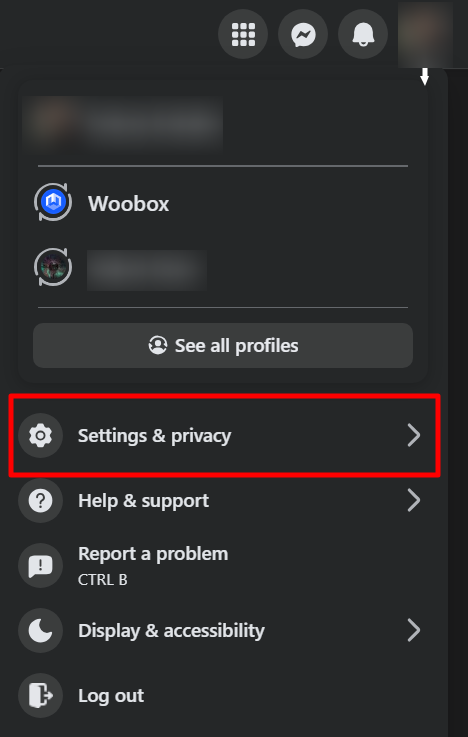
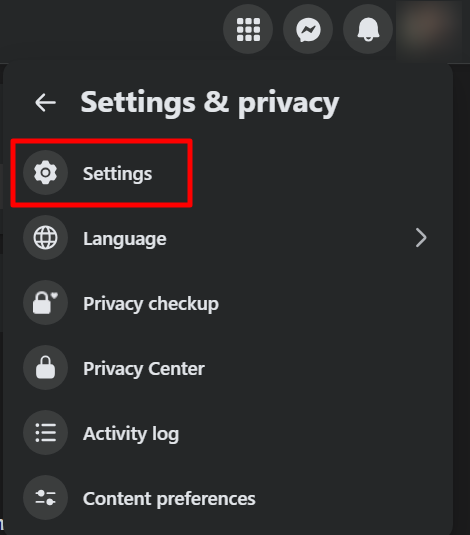
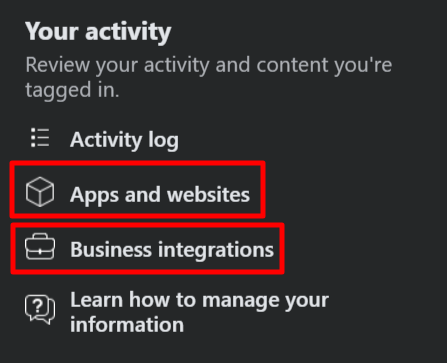
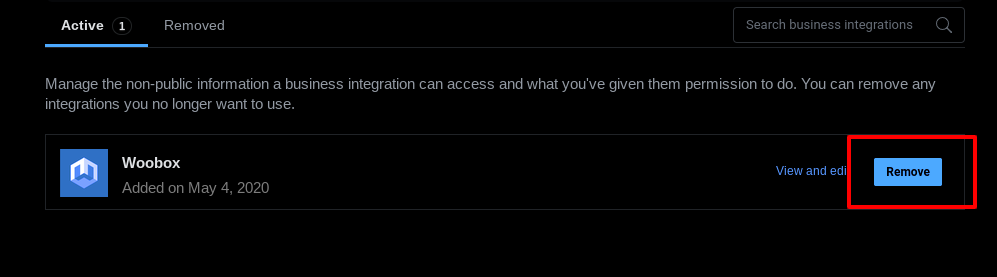
If the above doesn’t work to pull in new businesses, you will need to sign out of your Woobox account and then visit the Settings and Privacy -> Settings section, then in both the Apps and Websites, AND Business Integrations sections of your personal Facebook profile and remove all Woobox apps. Then, sign back into your Woobox account, and repeat the steps above. Be sure to grant all permissions to pull in your businesses.
If you’re still not able to add your Facebook page, check the following:
- Are you logged in via the right Facebook account? The best way to verify this is to go to the Facebook page in question and try to access the admin settings. If you can’t access them on Facebook, you may no longer be an administrator, or you may need to switch accounts.
- Are you trying to add a Facebook business page? Woobox is currently only compatible with Business pages, not personal profiles or groups. Click here for more information.
Still having trouble? Email us at support@woobox.com.